Trade with a clear head.
See which of your systems really make money, learn what's costing you, and act with a plan. Your journal, signals, trading tools and your own public profile, in one calm place.

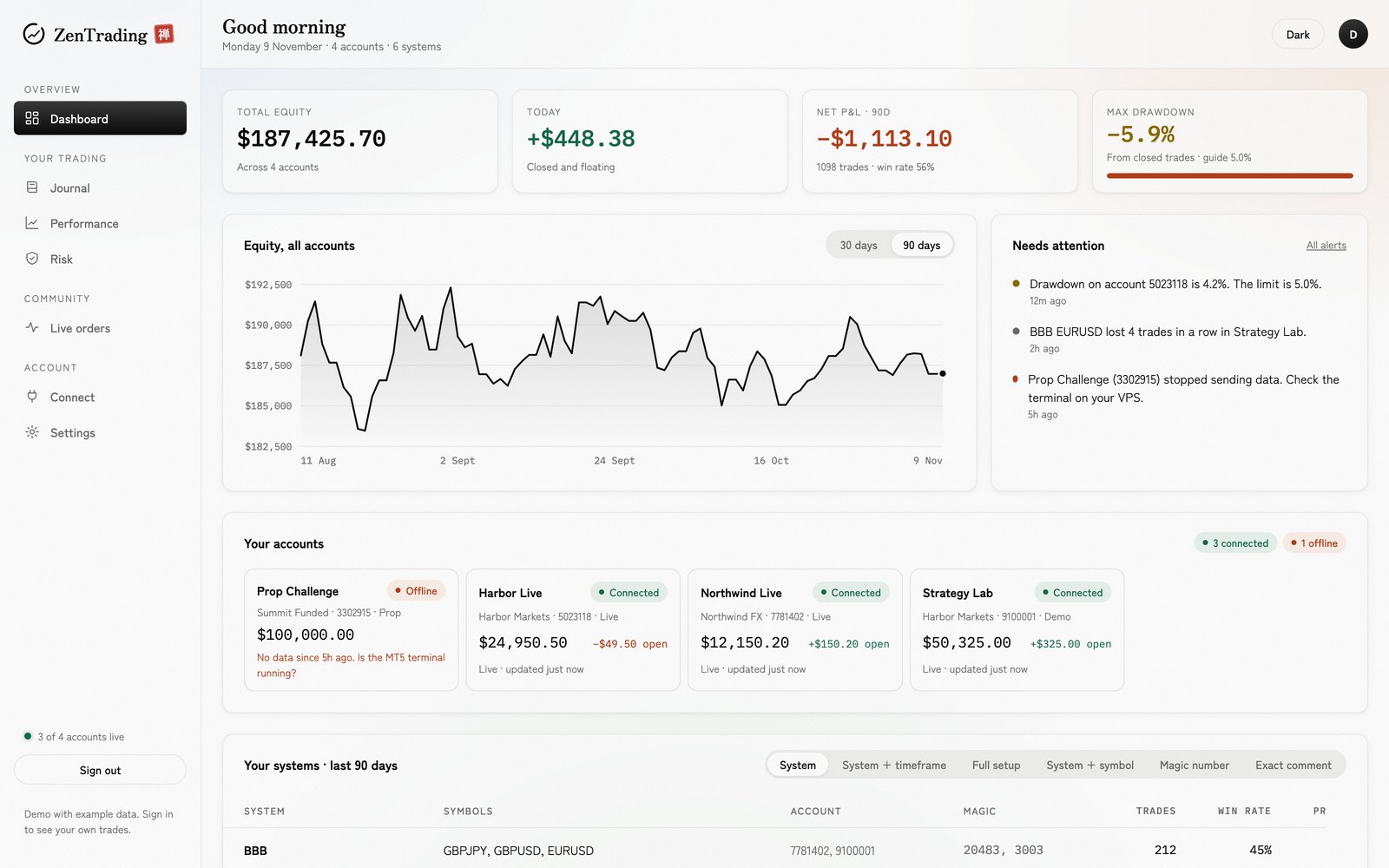
See it. Learn from it. Act on it.
Know what's really working
A journal with every trade on your broker's real candles, and every EA and system measured on its own: win rate, profit factor, R, drawdown. All your accounts at a glance.
Fix the habits that cost you
Oki, your coach, reads your trades and tells you plainly what to fix first. Playbooks, reports and trade replay help you do it.
Trade with a plan
Signals with entry, stop, target and reasoning, and a track record nobody can edit. Risk limits and exits that keep you on your plan. How signals work
Your setup, handled
Zen Cloud runs your trading platform and your own robots in the browser, with no VPS to rent. Zen Copier works between your own accounts. Join the waitlist
Everything about your trading, seen clearly.
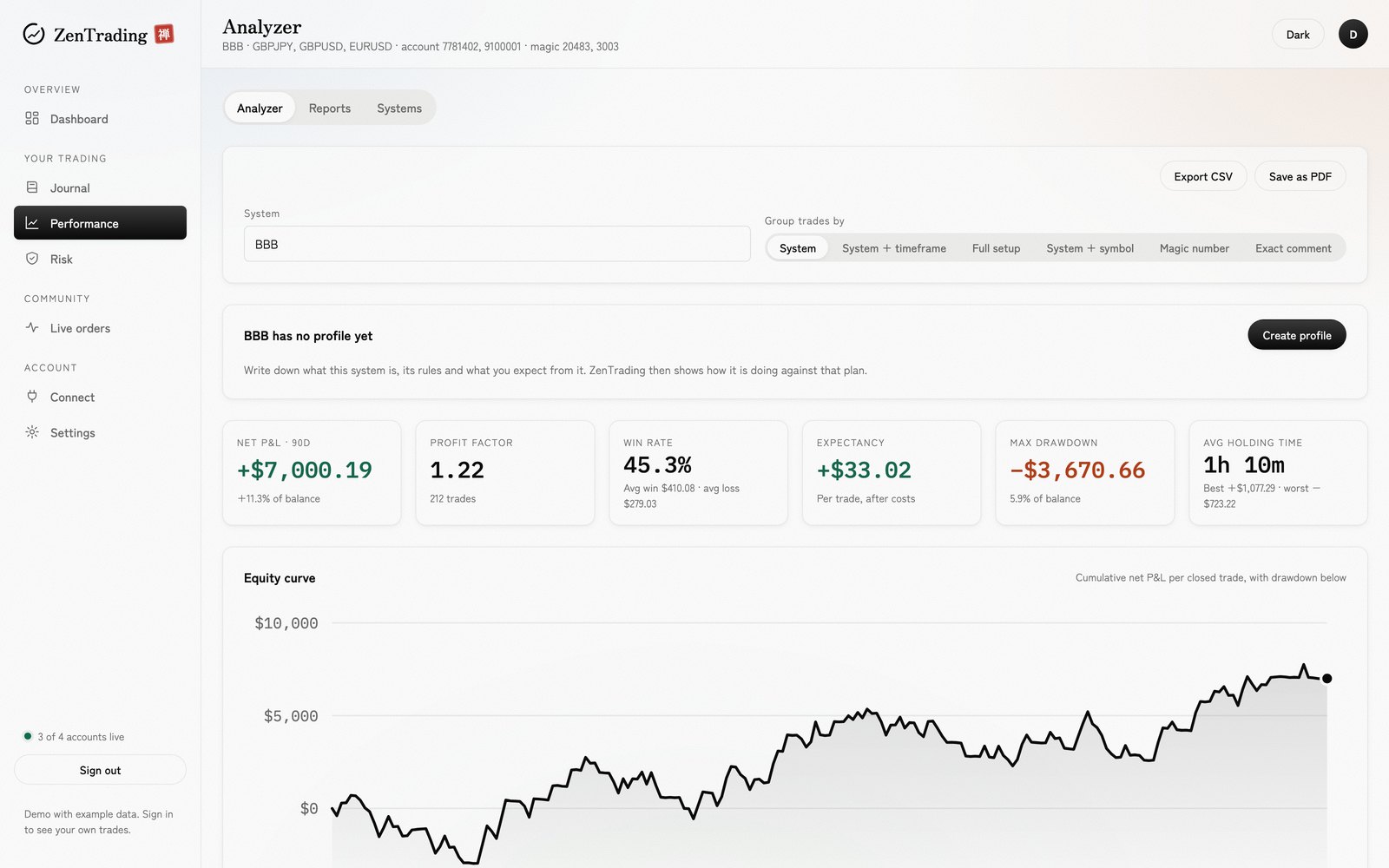
Every system, separately
Run ten EAs in one account? ZenTrading reads each trade's comment and gives every system its own win rate, profit factor and drawdown.
Where the edge is
See which symbols, sessions, weekdays and directions carry a system, and which quietly drain it.
A journal on real charts
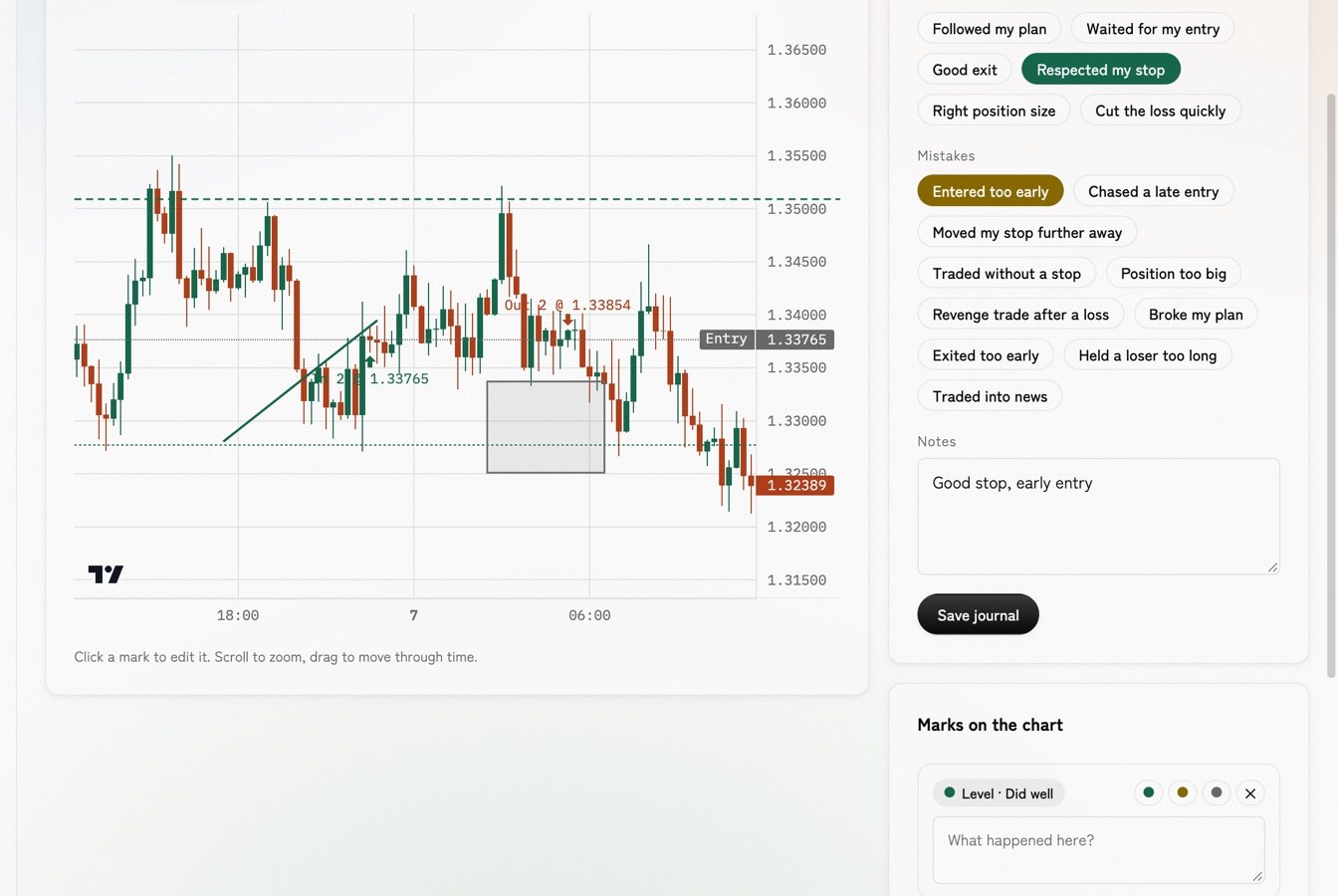
Every trade drawn on your broker's own candles. Mark entries, mistakes and levels, tick what went well, and write it down.
Oki, your coach
R-multiples, stop behaviour, revenge trades, winners given back. Oki notices, tells you plainly, and celebrates the habits you fix.
Mentoring, if you want it
Share your trading with a ZenTrading mentor in one click, get feedback right on your charts, and switch it off any time.
A profile worth sharing
A public page with your verified stats, badges and systems, in percentages only. Never your balance or account number.
Know which systems to keep.
Group trades by system, timeframe, setup or magic number. Merge the names your EAs wrote differently. Set targets for each system and see at a glance whether it is living up to them.
- Equity curve and drawdown per system
- Plan vs actual: win rate, profit factor, drawdown
- Export to CSV or save a clean PDF report
See the trade. Learn the lesson.
Each trade opens on your broker's candles at any timeframe, with the entry, exit, stop and the furthest it went for and against you.
- Draw notes, levels, lines and boxes
- Tick mistakes and what went well
- Oki counts them and tells you which mistake to fix first
Trade ideas, with a record you can check.
ZenTrading posts trade ideas to members: the market, entry, stop, target and why. Every change that follows (a stop moved, part closed, the final result) is posted too. Results are counted in R, so the track record is plain to read.
- A signal can't be edited or deleted once posted. Only updated, in the open
- The track record counts every closed signal: wins, losses, drawdown
- Charts with the analysis, and a live chart for every signal
- Instant alerts on Telegram from the official bot, linked to your account

Entry
1.0800Stop
1.0780 (20 pips)Target
1.0840 · 2 : 1Risk 1% of your account
Breakout and retest of the London range.
Zen Signals · ref 7F3KA
1.0800Each member's copy is private and marked to them. Messages can't be forwarded.
Connected in about three minutes.
Create your account
Email and password, or continue with Google. No card needed to start.
Attach the connector
Download the small ZenConnector EA from your portal and drop it on any chart. Paste your key. A panel on the chart says when it's connected.
Watch it fill in
Your full history imports automatically. Systems, statistics, charts and Oki's notes appear within a minute.

"Fall seven times, stand up eight."
Losses are part of trading. What matters is seeing them clearly and getting back up a little wiser. ZenTrading is built to be calm: no hype, no flashing alerts, just the one thing worth knowing, with the number that proves it.
Your account, your call. Private by default.
- Nothing trades on your account unless you choose it. Trading tools act only on the accounts where you switch them on.
- Every tool that trades works within limits you set, and stops with one click.
- Your trades are yours. Nobody else sees them unless you choose to share with a mentor.
- Public profiles show percentages only: never balances or account numbers.
- Keys can be revoked from your portal at any time.

"Your terminal stays where it is. ZenTrading only listens."
Start free. Stay if it helps.
No card needed to start. Founding members keep their price for life.
- 1 trading account
- Journal, P&L calendar and daily notes
- Last 30 days of analytics
- Oki's weekly summary
- 3 trading accounts, full history
- Reports, Zen Score, playbooks and trade replay
- MAE/MFE exits and risk guard
- Analyzer across systems and accounts
- Coach insights from your own trades
- Zen Katana trade panel
- 10 trading accounts
- Everything in Trader
- Zen Signals with Telegram alerts
- Priority support
Prices in USD. Cancel any time from your portal. Have a code? Use it when you sign up.
Good to know
Does ZenTrading trade for me?
Only if you want it to. Your journal just reads your trades, orders and equity. Trading tools such as the Zen Katana entry panel or copying between your accounts act only on the accounts you choose, within limits you set, and you can switch them off any time.
Which platforms and brokers work?
MetaTrader 5 today, with any broker, demo or live. More platforms are on the way; your journal and history stay with you when they arrive.
Do I need a VPS?
No. You can upload your MT5 history report with nothing to install, or run the connector on your own PC. Zen Cloud, coming soon, will run your MT5 and your own robots for you, 24/7, opened in the browser.
What is Zen Cloud?
Your own private MT5, hosted by ZenTrading and opened in your browser. Run your own EAs and indicators, trade by hand, and keep your journal live, with no VPS to rent or set up. Join the waitlist.
I run several EAs in one account. Can it tell them apart?
Yes. ZenTrading reads each trade's comment (and magic number) and splits them into systems. If an EA writes its name in different ways, you can merge them with a tick.
How much history comes in?
Everything your broker keeps, up to ten years by default, imported automatically the first time you connect.
What is Zen Signals?
Trade ideas posted by ZenTrading to members, with entry, stop, target and the reasoning, plus every update until the trade is closed. Results are kept in a track record nobody can edit. They appear in your portal under Signals, and on Telegram if you link it.
How do I get signals on Telegram?
In your portal, open Signals and press Link Telegram, then press Start in Telegram. Only the official bot linked from your portal sends signals. It never asks for passwords, payments or your MT5 details.
Who can see my trades?
Only you. If you switch on mentoring, the ZenTrading mentor can see them to coach you. Your public profile, if you make one, shows percentages only.
Trading involves risk, and you can lose more than you expect. Signals are ideas for education and information, not financial advice or a recommendation suited to you. Past results don't promise future ones. Decide your own size and risk.
